Everything you need to deliver accurate BOQs
BOQ Manager brings together every tool a quantity surveying team needs — in one purpose-built platform.
BOQ Editor
Build fully structured Bills of Quantities faster than any spreadsheet. The BOQ Editor gives you a purpose-built interface for construction cost planning — with real-time totals in your local currency, inline editing, and a clean section hierarchy.
- Section and sub-section grouping with automatic roll-up totals
- Inline quantity, unit, and rate editing with live calculation
- Set the workspace currency once — every rate and total formats automatically

Drawing Manager
Upload PDF drawings and manage them by project. The AI-powered analysis layer reads your drawings and extracts takeoff data automatically — saving hours of manual measurement.
- Upload and organise drawings by project and discipline
- AI analysis extracts dimensions, areas, and element counts
- Link drawing references directly to BOQ line items

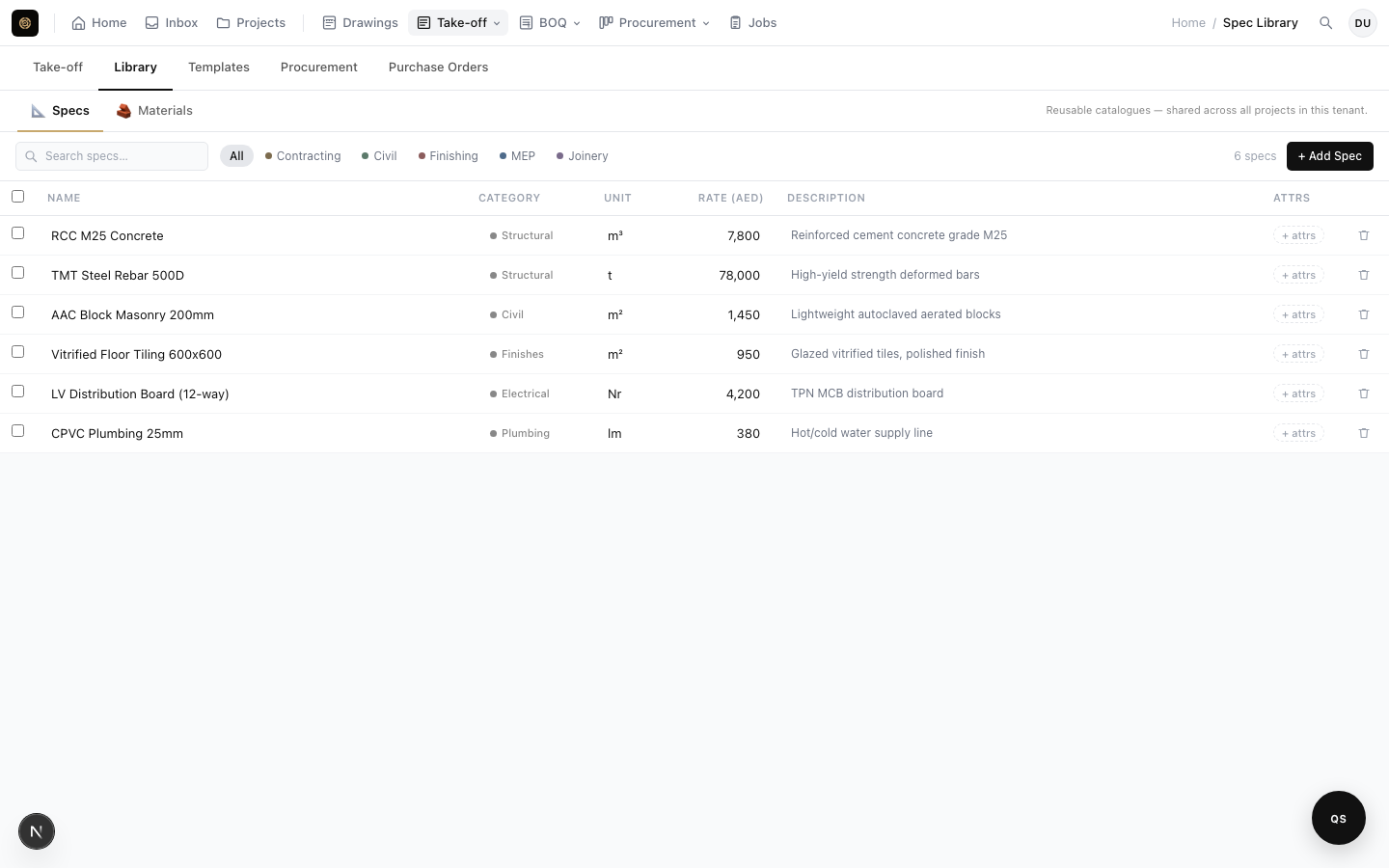
Spec Library
Maintain a reusable library of specification items and rates. Stop rebuilding BOQs from scratch — pull items from your spec library and keep rates consistent across projects.
- Centralised spec items with descriptions, units, and base rates
- One-click insert from library into any BOQ section
- Rate history so you can see how costs have changed over time
Reusable Templates
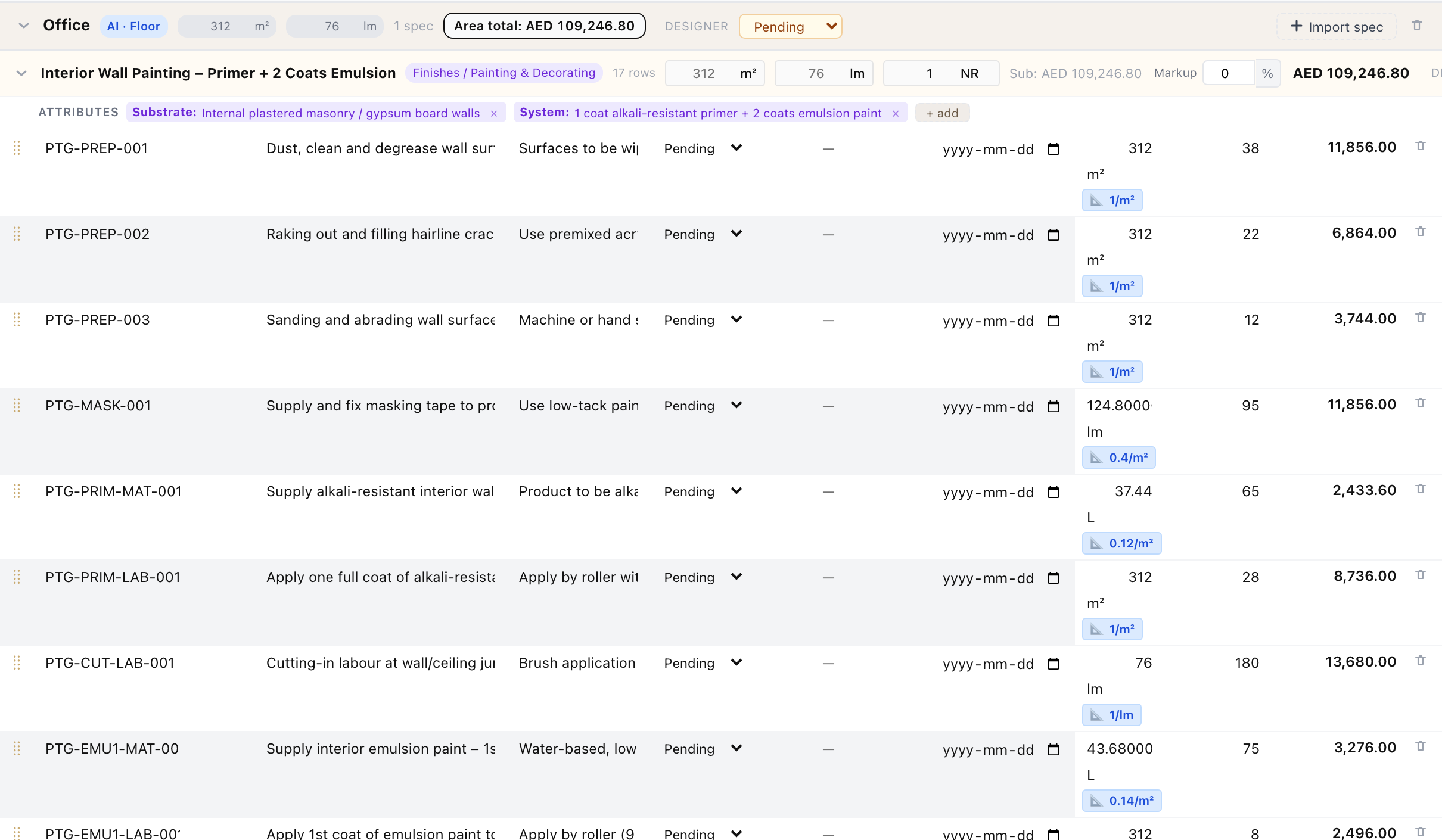
Stop re-costing the same scope on every project. Save any combination of materials, units, and coverage rules as a named template once — then drop it into a new take-off in seconds instead of rebuilding it from scratch.
- Save line items, units, and coverage rules as a reusable template
- Import a template into any take-off — quantities recalculate from that project's drawings, not copy-pasted numbers
- Draft a first version with AI from a plain-English scope description, then review and adjust
BOQ Tracker
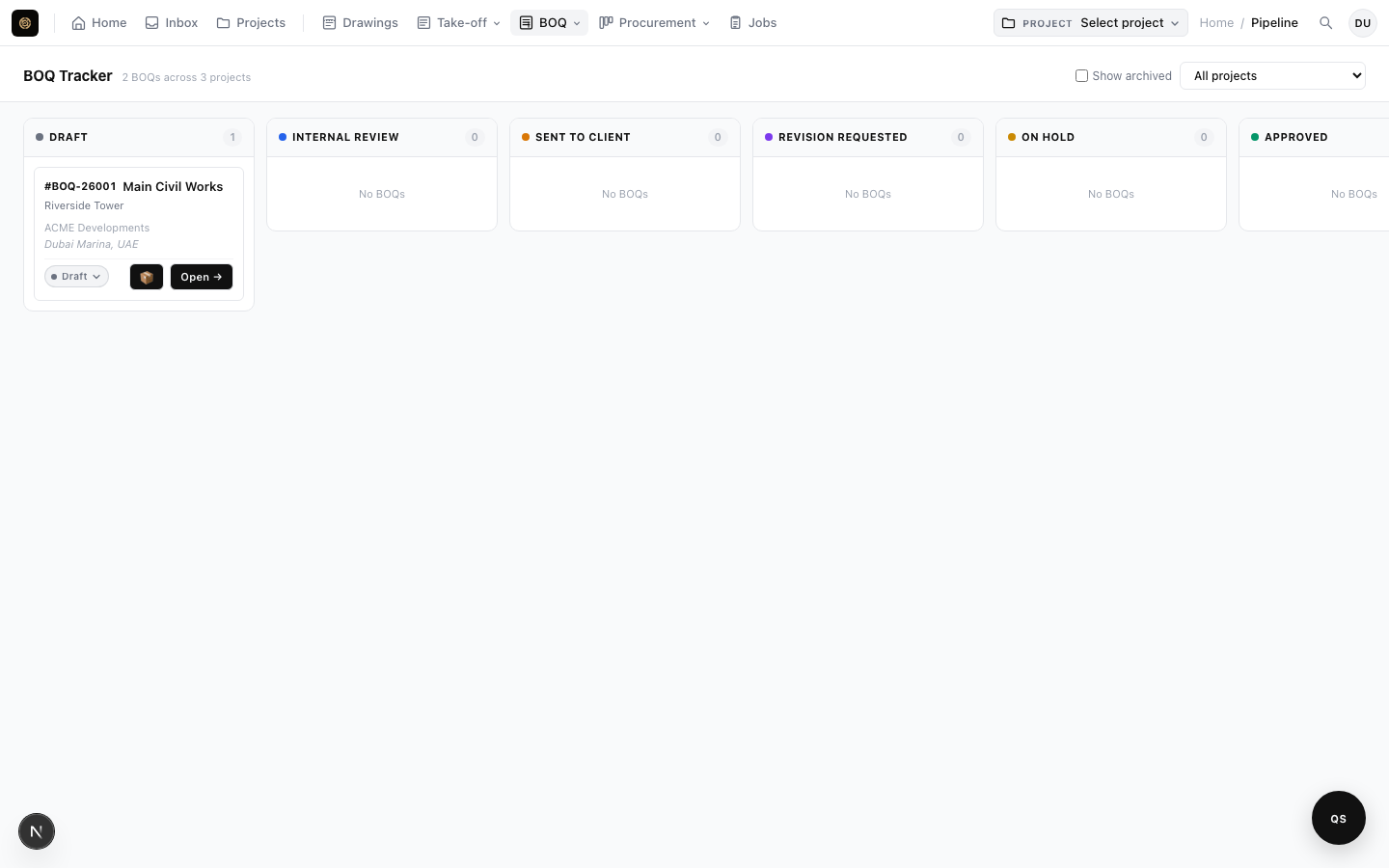
A Kanban board that gives your whole team visibility across every project at once. Move BOQs through your workflow — from Draft to In Review to Approved — without losing track.
- Board view across all projects — no switching between tabs
- Status columns: Draft, In Review, Approved, Rejected
- Filter by project, assignee, or date range
Team & Access Control
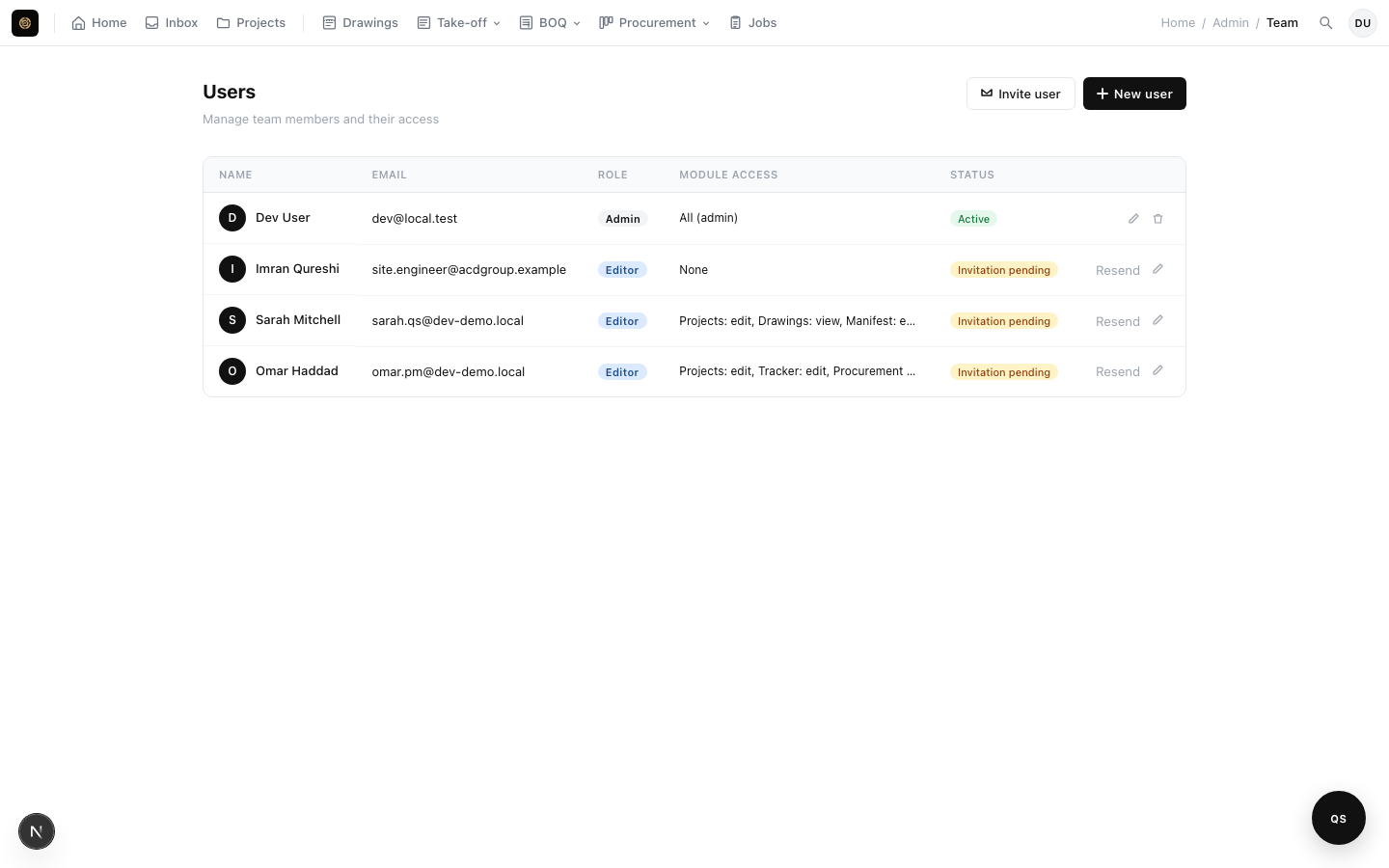
Invite colleagues and subcontractors with the right level of access. Role-based permissions mean admins control everything while editors and viewers see only what they need to.
- Three roles: Admin, Editor, Viewer
- Email-based invite flow with expiring invite links
- Per-project visibility controls for sensitive cost items
See it in action
Start your free 7-day trial today. No credit card required.