The QS workspace that doesn't stop at the BOQ.
AI take-offs from your drawings, multi-BOQ projects, procurement from site request to PO, scheduled job orders, daily site updates, and live profitability — one workspace, one audit log.
From drawings to a draft take-off in minutes.
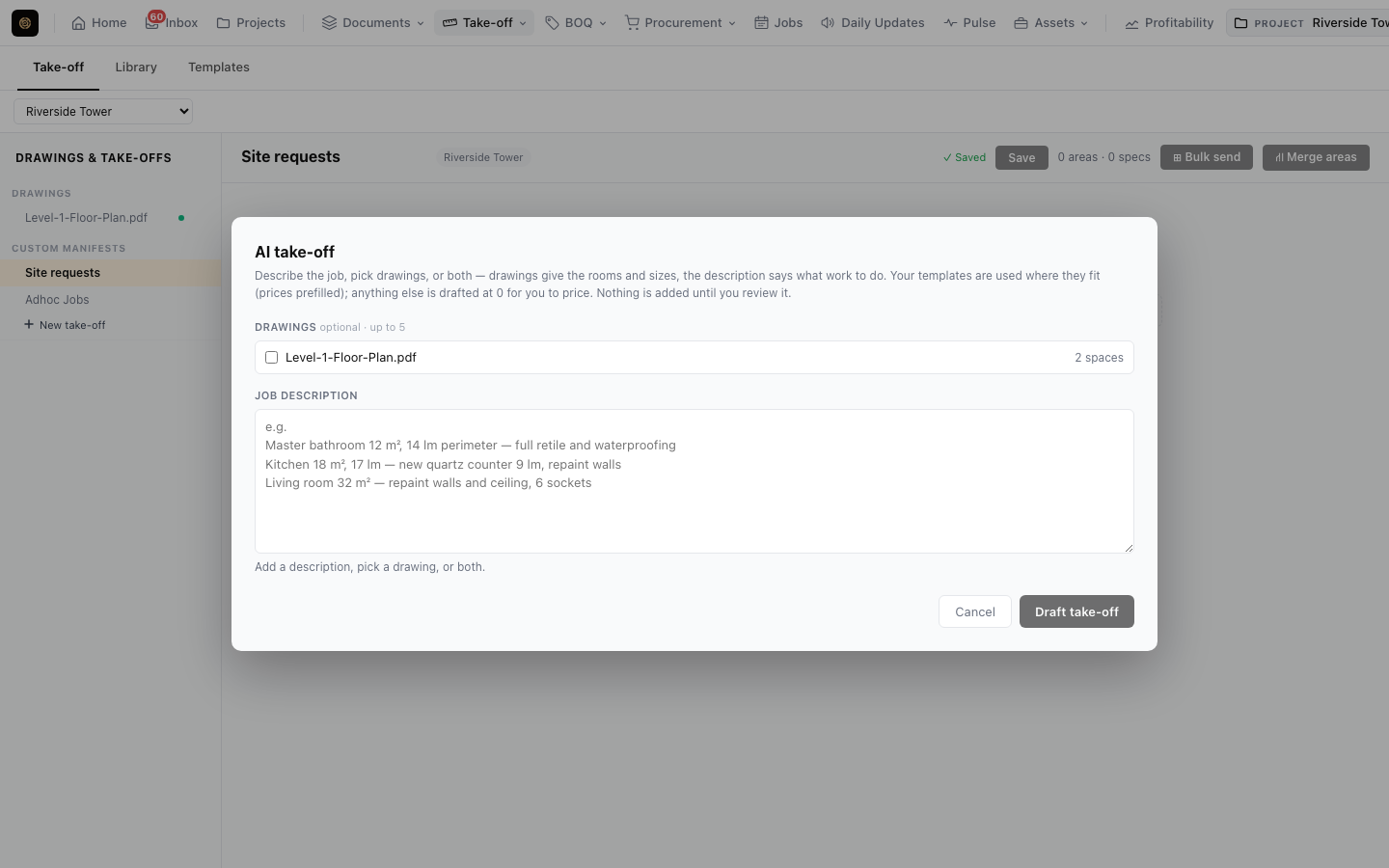
Select a project’s drawings or describe the scope in plain English. The assistant reads the spaces, asks about anything ambiguous, and maps what it finds onto your own templates — so the draft already speaks your spec library.
- Drawings or description: Start from PDFs, a written brief, or both.
- Clarifying questions: Resolves ambiguity before quantities are committed.
- Template mapping: Areas land on your area and spec templates, not generic lines.
- Review before save: Nothing touches the take-off until you accept it.
Stop re-costing the same scope on every project.
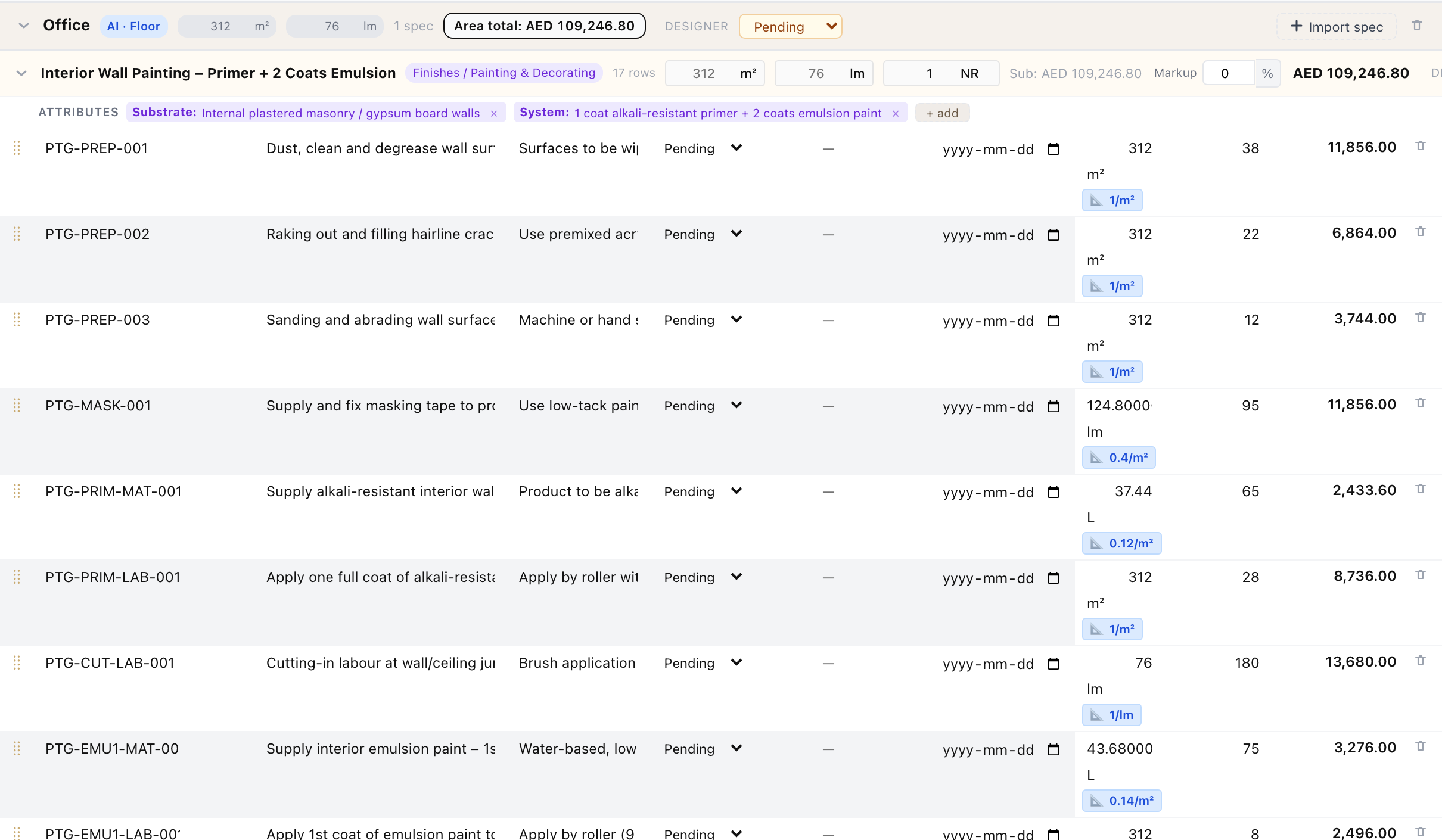
Save a spec’s materials and coverage rules once, or bundle a whole area — every spec and material in a typical bathroom or apartment — as an area template. Drop it into a new take-off and quantities recalculate from that project’s own drawings.
- Spec & area templates: Reuse a single spec or an entire room in one click.
- Coverage rules: Quantities follow each project’s dimensions, not copy-pasted numbers.
- AI-drafted templates: Describe the spec in plain English and review a generated first draft.
- Drag-and-drop ordering: Rearrange specs and areas in the take-off and BOQ.
Several BOQs per project. One clean export.
Each area is a single heading with its specs as line items, so the BOQ reads the way clients expect. Add BOQs for variations or phases, apply an overall discount, and keep signed copies and client POs attached to the BOQ itself.
- Multi-BOQ projects: Main works, variations, and phases side by side.
- Overall discount: Percentage or fixed amount, shown on the export.
- File attachments: Keep signed copies, client POs, and correspondence with the BOQ.
- Branded Excel & PDF: Exports carry your logo, terms, and footer.

From site request, to vendor, to received — without spreadsheets.
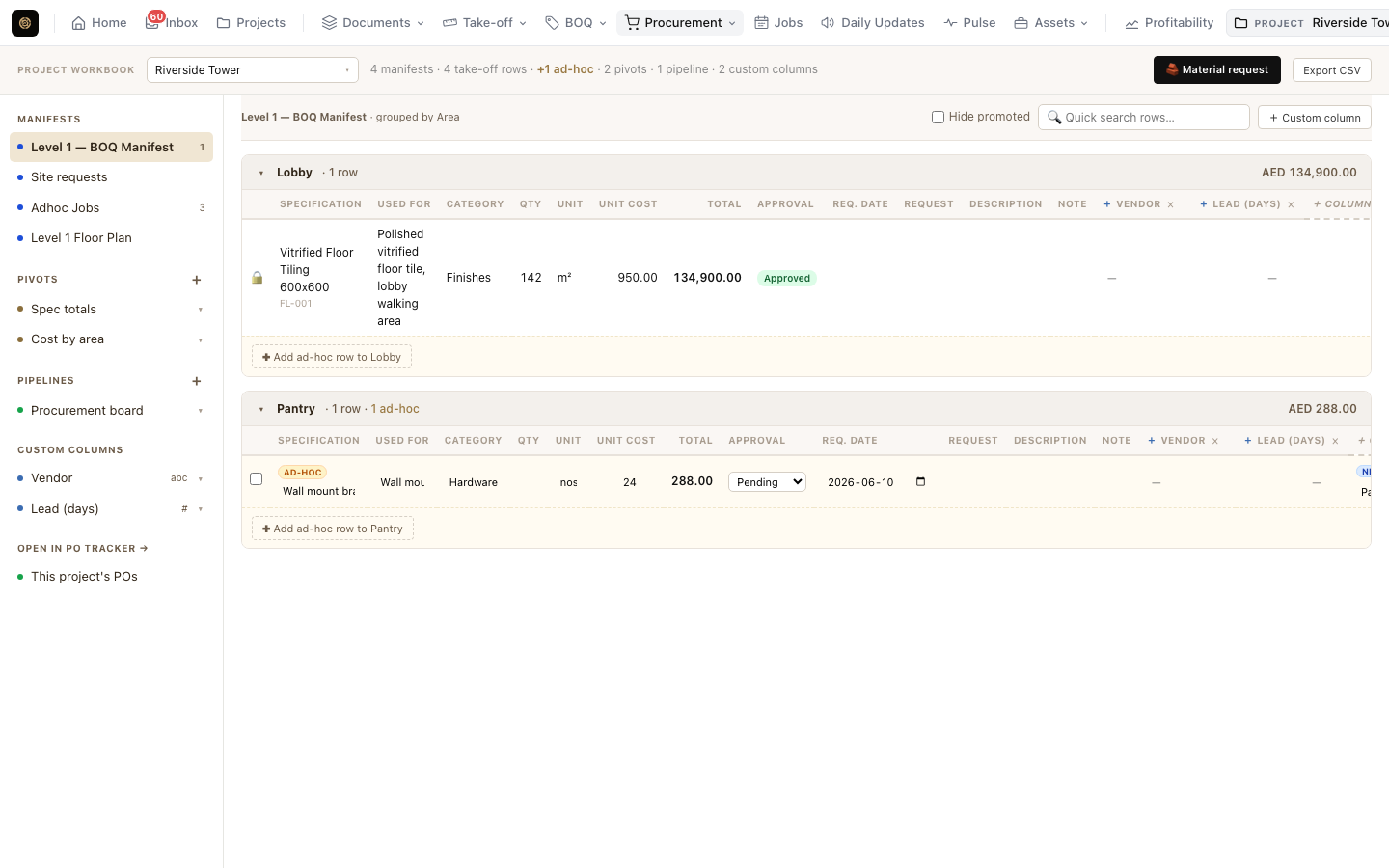
Site teams raise material requests with automatic references. Approvers promote them into the procurement manifest, request quotes from vendors, and turn approved lines into branded purchase orders tracked across every project.
- Material requests: Auto-numbered site requests with description and use context.
- Approval & promotion: A separate approve permission controls what reaches procurement.
- Vendor quotes: Request quotes and attach vendor invoices to each PO.
- Cross-project PO tracker: Draft, Sent, Confirmed, Received — open any PO in a pop-up.
Approve a BOQ. The field schedule is already there.
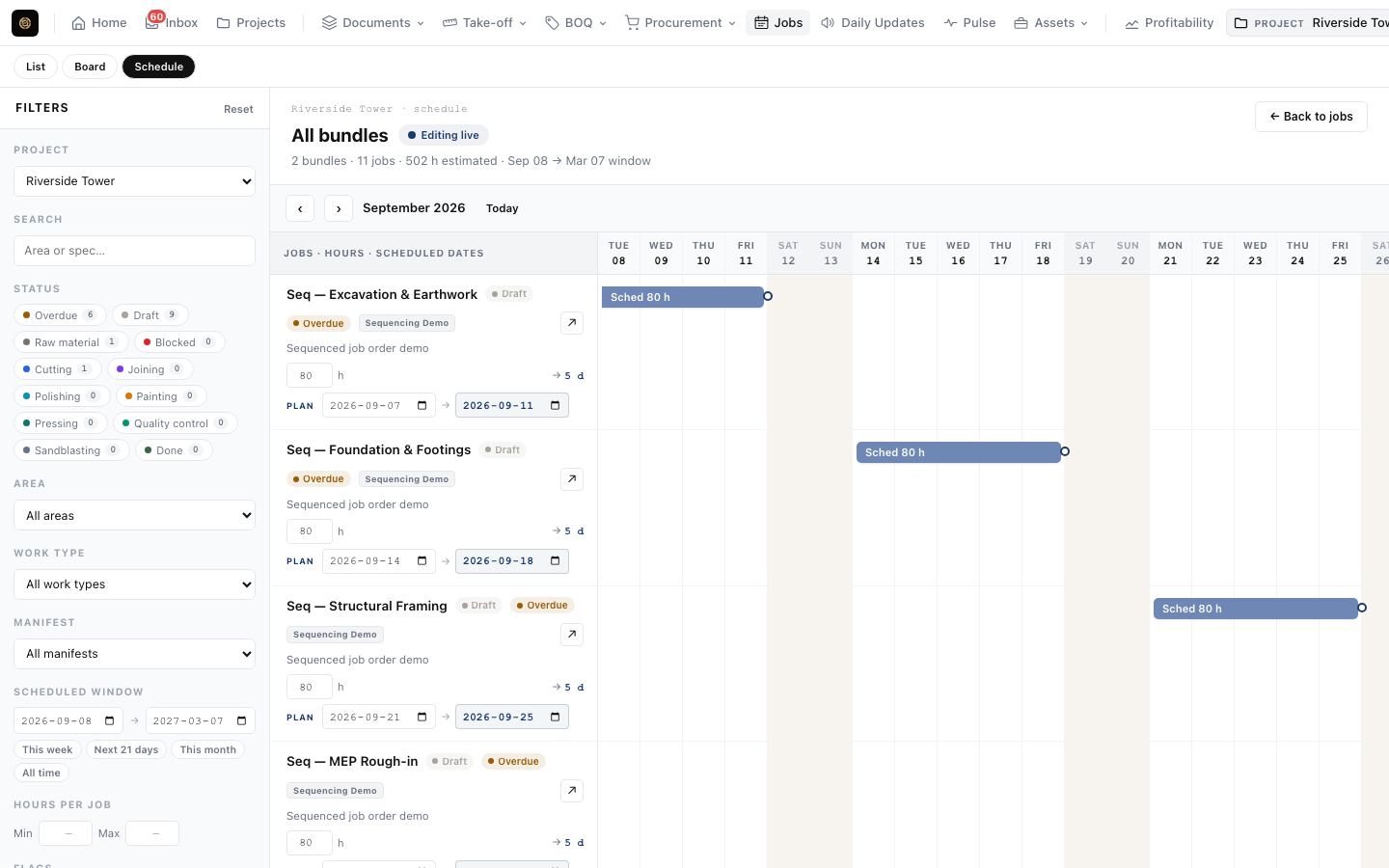
Approved BOQs bundle into job orders pre-filled with take-off quantities. Link jobs with dependencies and subtasks, and the Gantt schedule re-plans itself when something slips.
- Dependencies & subtasks: Two-way dependency editor with subtask sequencing.
- Auto-scheduling Gantt: Downstream jobs move when a predecessor does.
- Field-ready: QR codes on printed cards, photo and video comments, one-click photo downloads.
- Planned vs actual: Track site hours against estimates.
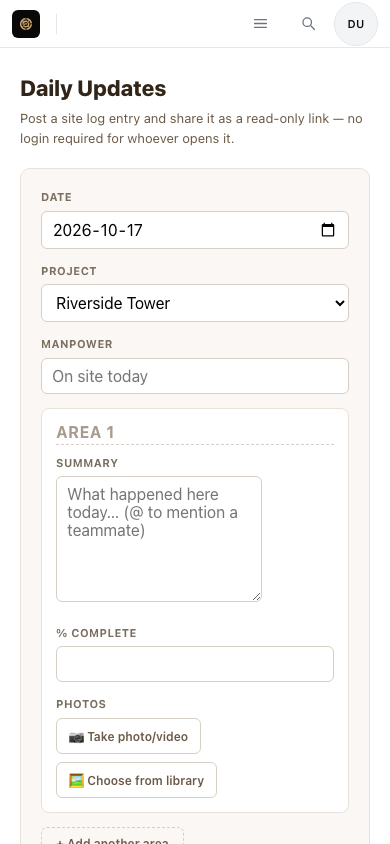
Progress from site, straight from a phone.
Share a daily-update link with your foreman — no login needed. Photos and videos land against the right project and area, entries can be posted to a job order as a linked comment, and the whole log exports to PDF for the client.
- No-login share links: Subcontractors post without an account.
- Photos & video: Lazy-loaded history that stays fast on site.
- Linked to jobs: Post an entry to a job order as a comment.
- PDF export: Send clients a clean progress report.
Know which projects are making money.
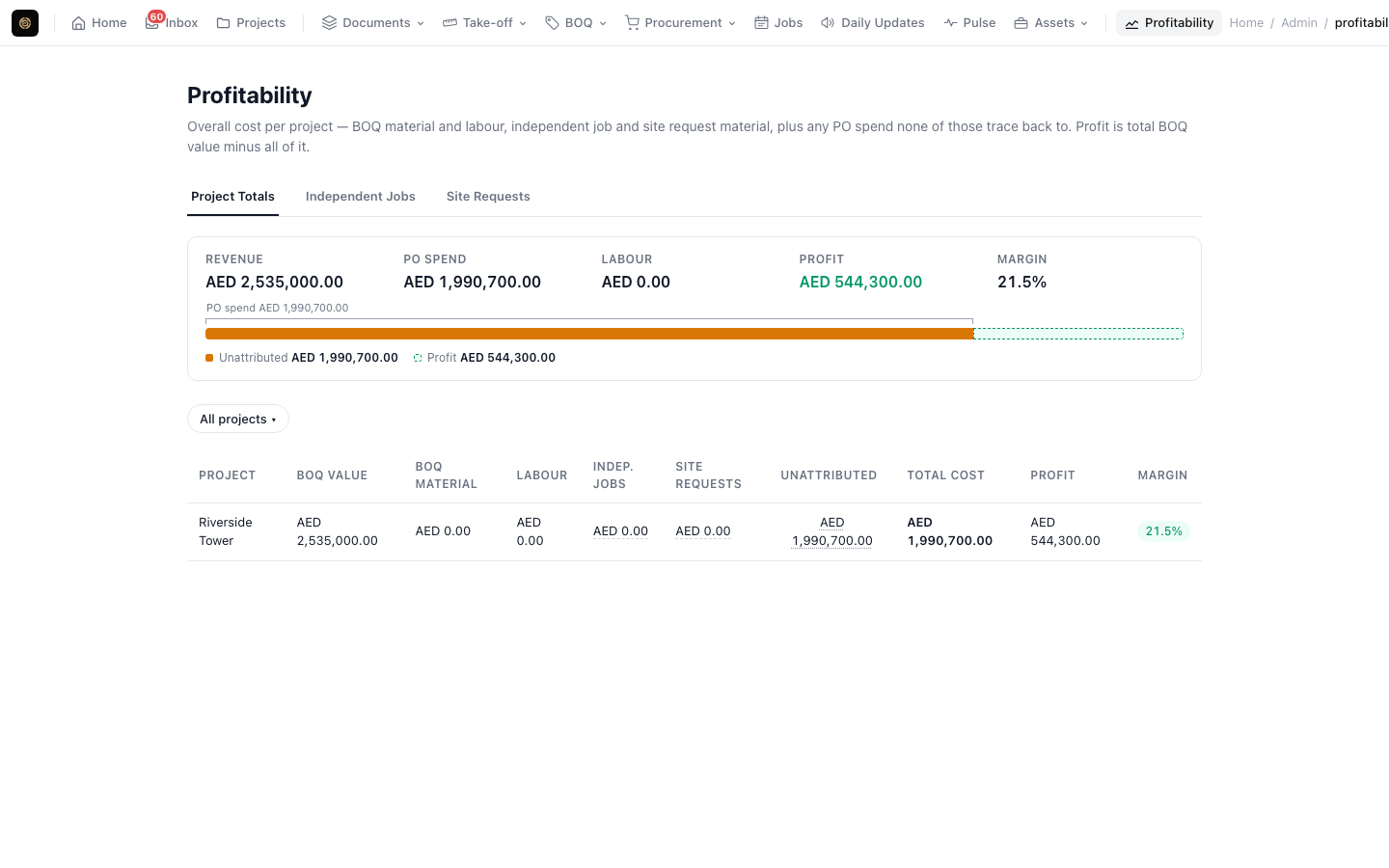
Project Totals puts BOQ revenue against everything you have spent — purchase orders, material requests, and labour hours synced from Zoho People — so margin problems show up while there is still time to act.
- Project Totals: Revenue versus cost for every project at a glance.
- PO spend strip: Committed and received spend by project.
- Labour cost sync: Actual hours and cost from Zoho People, per project.
- Searchable filters: Narrow to the projects and vendors you care about.
Works with the tools your team already uses.
Integrations are included on Professional and above.
Zoho Cliq
Per-project channels for site requests, approvals, and Project Pulse reports.
Slack
Route notifications to the channel your team already lives in.
Microsoft Teams
The same per-project routing for Teams-first organisations.
Zoho People
Sync actual labour hours and cost into profitability.
Built for firms running many projects at once.
Custom contracts, invoice billing, and modules for design, plant, and project leadership.
Drawing Delivery Board
A board for design teams to move every drawing through drafting, internal review, client review, and issue.
Asset tracking
Register tools, plant, and equipment, handle asset requests, and see which project each one is on.
Project Pulse
An AI status report per project — blockers, overdue items, and the top actions to take — delivered to Zoho Cliq with replies in-thread.
Same core workflow on every tier.
Plans scale with projects, users, storage, and AI tokens.
- Up to 5 projects, 3 users
- 1 GB storage
- 50K AI tokens / mo
- Full take-off, BOQ, procurement & jobs
- Unlimited projects, 10 users
- 2 GB storage
- 100K AI tokens / mo
- Cliq, Slack & Teams integrations
- Audit log + custom branding
- Unlimited projects & users
- 5 GB storage
- 500K AI tokens / mo
- Best per-token rate
- Priority support
- Usage as per contract
- Invoice billing
- Drawing Delivery Board
- Asset tracking
- Project Pulse AI reports
Frequently Asked Questions
Deploy a modern QS workflow today.
7-day free trial · no credit card required · sign in with Google or Microsoft.